Showing posts with label electronics. Show all posts

Wednesday, July 23, 2008

Review: T-Mobile@Home

T-Mobile recently announced that they're entering the home phone market. A great thing for all existing T-Mobile cell phone customers.

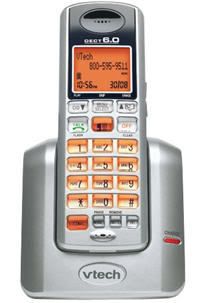
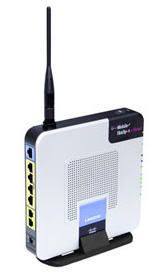
For just $10/month, which can be added to your current T-Mobile cell phone plan, you'll receive free unlimited nationwide calling, caller ID, call waiting, & voicemail. This service makes use of your current broadband internet connection using a special Linksys WRTU54g-TM router and provides you with up to 2 phone lines.

When I first received the phone & wireless router, I was a little overwhelmed. I just couldn't understand how it was all supposed to fit together. However, once I read the manual and actually started looking at the components, it all made sense. First, I installed the wireless router program into my PC and which didn't take much time at all. Then I inserted the SIM card into the back of the router. Finally, once it was connected to the internet, all I had to do was plug in the phone and I was all set. I found the sound quality to be very clear on both the sending and receiving end.

Overall, I felt this was a great service at a great price!

For more information, stop by T-Mobile@Home.

Friday, May 9, 2008

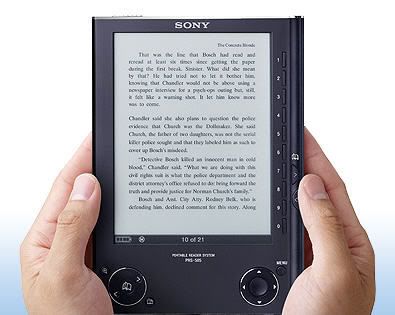
Review: Sony Digital Reader PRS-505

I'm an avid book reader. I love books and take them with me to work so I'll always have something to keep me occupied while sitting in airport terminals, during my breaks on the plane, and to keep me company on layovers. The only problem is that I have to be selective on which book to bring since they make my rollerboard pretty heavy. Because of this, there were more than one occasion when I had wished I brought a different one with me.

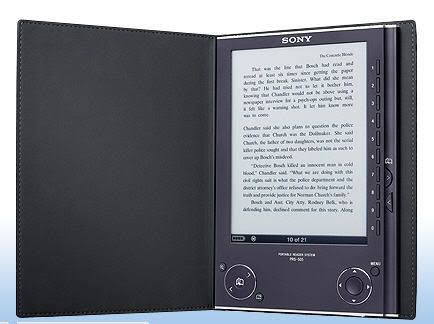
Well, no more. The Sony Reader Digital Book PRS-505 is the answer to my prayers.

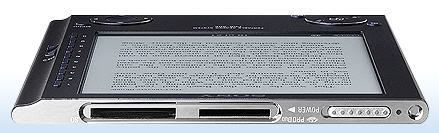
One of the most attractive features is it's size. At less than half an inch thick, it's thinner than most paperbacks, and the 9 ounce Reader easily fits into my bag without weighing me down. The large rectangular 6-inch LCD makes it easy to read the pages and it feels comfortable in my hands even during longer periods of time.

In order to download books, you must install and sign-up with the Sony Connect CD-ROM software included with your purchase. It was really easy to set-up and I was able to figure out how to use the program in a matter of minutes. It was pretty cool to be able to get my book instantly and it saved me a trip down to the bookstore. Keep in mind that it is not Mac compatible.

The size and font of words are easy to read and adjustable to accommodate your preference. The pages were viewable even at angles, dim or bright lights, and can also be changed from portrait to landscape mode.

However, like with anything else, there are a couple of downsides that I noticed. First, when I tried to view some downloaded family photos, they seem pixelated at first and took a few moments to sharpen. Also, the photos are displayed only in black & white which made it difficult to see some of the details.

Another downside is the lag time when pressing the menu buttons or turning pages. It's not a big deal but I guess I've gotten used to immediate responses with other electronic gadgets.

All in all, I really like the Sony Digital Reader Book and plan on making good use it. I can now bring tons of books, stored on memory cards, along for the ride. I don't think it will replace books all together but it does offer another option to consumers.

The Sony Digital Reader Book sells for $299.00.

Sunday, January 27, 2008

Review & Giveaway: Insignia Pilot Video MP3 Player with Bluetooth Headphones

This giveaway is now closed. Thank you for your participation.
The winner is Grace of Sandier Pastures.
Congratulations!

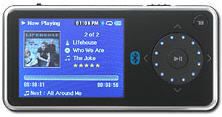
As you know, we are a household of electronic lovers - especially MP3s. I believe we have a total of 8 different types among us not including the ones on our cell phones. So you can imagine my excitement when I was offered the opportunity to review the Insignia Pilot Video MP3 Player from Best Buy.


Product features:
  • 4GB* internal flash storage holds MP3 files, photos and videos
  • Built-in Bluetooth wireless audio lets you listen to your music with compatible Bluetooth headphones (not included)
  • Supports MP3, WMA, WMA Lossless, WMA DRM, WMA Pro, OGG, WAV, Audible, MPEG4 (30 fps), WMV (30 fps) and JPEG formats
  • 2.4" high-resolution LCD color display with wide viewing angles
  • Built-in digital FM tuner with 20 presets; remember songs you hear by saving track and artist data from FM stations broadcasting RDS data
  • Features a Secure Digital card expansion slot for additional memory capacity (media not included)
  • Custom EQ with 4 presets
  • High-speed USB 2.0 interface for blazing transfer speeds
  • Rechargeable lithium-ion battery provides up to 25 hours of playback time
The first thing I noticed was that it has a very stylish look. Now if only I could get it out of the packaging! I swear this thing is so packed protected that I feared bodily injury when trying to free it from it's plastic. However, once that was accomplished, setting it up was a breeze. As another reviewer said, "It's so easy, even a caveman could do it." I'm not kidding! The instruction manual that came with it is only a piece of paper because that's really all that's needed.

What I really liked about this MP3 player is the FM tuner. It's kind of cool to be able to listen to the local news updates or traffic reports whenever you want to. The reception is crisp and clear and you're able to program 20 of your favorite stations.

Loading music, photos, and videos were a breeze. This player is not compatible with iTunes, however, Best Buy does have it's own Digital Music Store. If you really wanted to, you could burn a CD copy of your iTune purchases, download them to this program, and sync your player. Not a big deal.

It's pretty cool to have a video player on hand especially when grocery shopping with the kids. Anything that keeps them quiet in public for a decent amount of time is always a plus for me! And since it has a media card slot, memory is never a problem.

All in all, I love this MP3 player. And coming from an iPod diehard, that's saying a lot. For the price of $129.99, this presents an affordable option for those looking to take their music on-the-go.

Guess what? I have a brand new, never opened (I'll leave that up to you but be careful!), Insignia Pilot Video MP3 Player & Bluetooth Headphones for one lucky person to win. How cool is that? To enter, just stop by Best Buy before February 1st and see what it's all about. Then come back and let me know what feature interests you the most. That's it! A random winner will be selected and notified on February 2nd.

To earn extra entries, just subscribe to my feed and/or mention this giveaway on your site with a link back here and to Best Buy. Let me know if you're doing the extra credit so I can make sure you're entered properly. PLEASE don't forget to leave a way to contact you.

This giveaway is open to U.S. addresses only. Good luck!

Don't forget to enter my other current giveaways:

Thursday, January 10, 2008

Review & Giveaway: BOB Screentime Controller

This giveaway is now closed. Thank you for your participation.
The winner is Carrie of Life is Like a Mountain Railway.
Congratulations!

"Children spend more time watching television than any other activity . . ." The National Institute on Media and the Family

I admit it, on occasion I have been guilty of using the television as a baby sitter. I really do try to limit the time the girls spend watching the tube but sometimes I just can't help turning it on so I can tune out. So who can blame them when they start to rebel once I come to my senses and pull the plug?

According to the American Academy of Pediatrics, children’s screentime should be limited to one to two hours of quality programming per day. However, young people spend an average of three hours per day watching television, 49 minutes per day playing video games and more than an hour per day using the computer for something other than schoolwork.

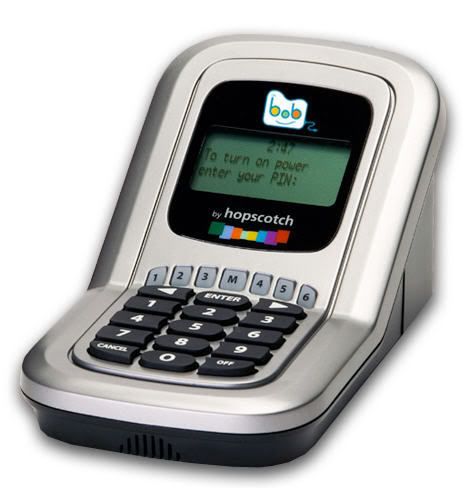
This is where BOB The Screentime Controller comes in. BOB puts an end to child-parent conflicts about screentime by setting limits to how long a child is allowed to watch television. Once that limit is reached, electronics are shut off. The great thing about this device is that you can use it on any electronic device that has a screen. And it can be programmed to monitor 6 different users.

How would you like to win BOB (value $99) for your family? To enter, just leave a comment below before January 15th mentioning how many hours you think your family watches television on a daily basis. That's it. A random winner will be selected and notified on January 16th.

As usual, you may earn extra entries by subscribing to my feed or by mentioning this giveaway on your blog with a link back here and to BOB The Screentime Controller. Let me know if you're doing/did the extra credit so I can make sure you're entered properly. Don't forget to leave a way to contact you in case you win!

This giveaway is open to US & Canada only. Good luck!

Friday, November 30, 2007

Review: HP Photosmart A620 Printer


The only portable printer I've ever used is a Kodak Easy Share Printer Dock that came with my camera. It was a basic model and did what it was supposed to do - print photos. So when I agreed to review the HP Photosmart Printer, I expected it to be the same way. Boy, was I wrong!

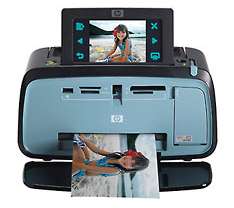
Talk about bells and whistles! With this portable printer you can creatively edit your photos in a variety of different ways.

  • Scribble - allows you to draw on the photo using a stylus (included). You can easily change the color and line thickness. And if you make a mistake, just hit the erase button and scribble it all away!
  • Design Gallery - Print your photos in black & white, sepia, antique, and a bunch of other special effects. There's even a slimming effect. Gotta love that one!
  • Caption - add a title or description to your photo. You can select from 5 fonts and 6 colors.
  • Clip Art - Add a special touch to your photo with a little clip art work. This was a really fun feature to use!
  • Album - Select your favorite photos and turn them into a album page. Again, I wish there were more of a selection to choose from.
  • Frames - There are different categories you can choose from - seasonal, kids, general, special - which allows you to put a frame around your photo. This will work in either portrait or landscape. The only thing is that I wish there were more of a variety of frames to choose from.
The initial set-up was a breeze. Just install the program and you're up and running in minutes. All you need to do is insert your memory card in the installed card reader and thumbnails of your photos are displayed on the printer screen. By using the included stylus, you can edit and print your favorite pictures! I didn't even need to read the manual. You can pretty much figure everything out from viewing the 4.8" touch screen.

As for photo quality, it's pretty amazing with a 4800 x 1200 optimized dpi. The finish product can be in a range of sizes including 4 x 6 in, 4 x 6.5 in, 4 x 8-in photo card, 4 x 12-in panorama, or 5 x 7.

If you prefer to print from your home computer, just use a USB cable (not included) to connect the two, install the system program, and you're all set. I think that printing from your own computer gives you more creative options in terms of size and layouts.

The only thing missing is the ability to save your photos after editing them on the printer. Instead, I had to print the photo out then scan them into my home computer for future use.

All in all, this is a great printer if you're looking for portability and ease of use. It even comes with a carry handle for those on-the-go. If you'd like one of your very own, they're currently going for $129.99 with free standard shipping.


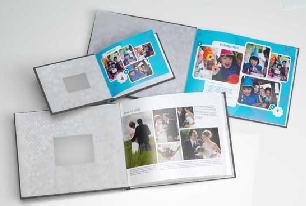
In conjunction with this printer, I also received the HP Photobook in two sizes - 5" x 7" and 81/2" x 11". These were actually pretty cool since there was no sleeves to insert the photos into. Just bend back the covers and place the pictures directly in. This makes it very easy to change the photos around or add more. The cover is made of a thick cardboard with a canvas like texture. Very professional looking.

You can get a special 20% discount on these books by visiting Snapshot Chronicles and using the code AC8595 when placing your order. These books make a great addition to the HP Photosmart Printer. We'll be using ours to make photo books for family members who live far away. It's a great way to get them up-to-date on what we've done throughout the year.

Thank you to Parent Bloggers Network for this great review opportunity!

Thursday, November 29, 2007

Review & Giveaway: Comfy Easy PC

This giveaway is now closed.Thank you for your participation.
The winner is Beth K. @ yahoo!
Congratulations!

I'll be honest. I've been researching the Comfy Easy PC for a while as a possible Christmas gift for Baby Bug. Initially, it looks like a great product since she's very interested in computers. After all, she sees me constantly at my laptop! My only concerns were if it would hold her interest long enough to make buying it worthwhile and if it was kid friendly where she could use it on her own.

So when I was asked if I'd like to review the Comfy Easy PC, I couldn't believe my luck! I felt like I just won an amazing giveaway!

"The Easy PC System has been designed with toddlers in mind, and fits their motor and cognitive skills. The System allows young children to enjoy and learn from various activities, without requiring reading skills or the ability to use a computer mouse. Children progress at their own pace according to their own level, interest and growth."

The initial system comes with the keyboard, installation/software CD, USB cable, and instruction manual. The set-up was easy and we were up and running in minutes. This is very important especially when you have a child anxiously waiting to play it!

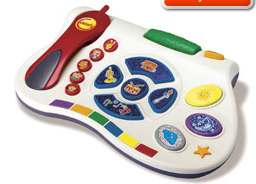
The great thing about this system is the bold and colorful Comfy Characters that encourages your child to play along and interact with the program. Baby Bug was thrilled with all the sound effects and I could hear her constantly laughing as she pressed each button to see what would pop up on the screen. And speaking of buttons, the large and colorful buttons on the keyboard make it easy for her little fingers to use.

This system is geared for children from ages 1 - 5 years old and there is a wide variety of software available for each age group. This means that Girlie Girl and use it, too! The cool thing is that each software comes with it's own overlay that you place on top of the keyboard so that the pictures on the buttons will always correspond with the software. How great is that?

If you'd like to try it out for yourself, you can visit their online demo here. Find out why PC Magazine named the Comfy Easy PC one of the top 10 hottest kid-friendly gadgets!

Now comes the fun part! The generous people at Comfy Easy PC would like to give away a system to one lucky winner! In addition, they'll also include TWO software titles of your choice for a total value of $110! Wouldn't this make a great Christmas gift?

To enter, just stop by the Comfy Easy PC site before midnight December 5th and browse through the available software titles. Then come back here and mention which two you'd like to receive if you won. That's it! A random winner will be selected and notified on December 6th.

For extra entries, just subscribe to my feed or mention this giveaway on your blog with a link back here and to Comfy Easy PC. Please let me know if you're doing/did the extra credit so I can make sure you're entered properly.

Please make sure you leave a way to contact you in case you win!

This giveaway is open to U.S. addresses only.

Monday, November 19, 2007

For The Person Who Has Everything

If you're looking for a Christmas gift for the person who has everything, how about a Diamond Flower Mouse?

Photo Sharing and Video Hosting at Photobucket

Isn't she shiny and pretty? She could be all yours for just $23, 250. Yes, you heard me right. With that price shouldn't it at least be cordless?

Thank goodness I don't have expensive tastes. I'll settle for this Hawaiian Girl Mouse instead.

Photo Sharing and Video Hosting at Photobucket

I think I can handle $44.90.

BTW, I apologize for the lack of contest & giveaway postings lately. I know how much you all miss it. Yeah, right! Well, at least I know Candes does! *waving to her* I will resume regularly scheduled programming tomorrow. See ya!

Saturday, October 6, 2007

Win a Pink Casio Digital Camera!

Host Site: 5 Minutes for Mom
Deadline to Enter: October 25, 2007
Prize: Casio Pink EX-Z75 digital camera

I WANT THIS!!!

In honor of Breast Cancer Awareness Month, Casio is putting out a limited edition of their EX-Z75 Digital Camera - and it's pink! To win one, mention this contest at your place then leave a comment on the giveaway post. Good luck to me! *wink*

Photo Sharing and Video Hosting at Photobucket

Wednesday, October 3, 2007

ProBlogger's Birthday Bash Giveaway

Host Blog: ProBlogger
Deadline to Enter: October 14, 2007
Prize: varies

ProBlogger is having a huge Birthday Bash Giveaway and you're all invited! There are over $50,000 in cash and prizes being given away. In the next 7 days, there will be various competitions so the best way to keep track of what's going on is to subscribe to his RSS feed.

Stop by ProBlogger for more information.

Photo Sharing and Video Hosting at Photobucket

Tuesday, October 2, 2007

Win an iPod Nano

Host Blog: WhyDoWork
Deadline to Enter: October 31, 2007
Prize: iPod Nano

Can you tell that I'm determined to win one of these? To enter, just subscribe to their RSS feed (1 entry) and post about this giveaway on your site (5 entries). Then when you see the special message towards the end of the month, send in an email and you'll be entered.

Photo Sharing and Video Hosting at Photobucket

Monday, October 1, 2007

Review: Rocketfish Wireless Bluetooth Keyboard & Mouse

When it comes to computer gadgets, I'm all for it. That's why I was thrilled to have the opportunity to review the Rocketfish Wireless Bluetooth Keyboard and Mouse.

First of all, the fact that there are no wires to tangle makes this product invaluable from the beginning. When I opened the box, I was pleasantly surprised at how cool the keyboard looked - very stylish. It was also very comfortable since it has a place to rest your wrists while you're typing. With all the posting I do, comfort is very important to me.

The mouse looks like your typical mouse but again, cordless. Love that!

I thought the set-up and download were pretty easy if you read the instruction manual. I was able to get everything set-up and running in a short amount of time. The wireless range is up to 60 feet! How do you see the screen at 60 feet away?

The only thing that some people may not like is that the keyboard and mouse run on AA batteries. I don't mind the batteries since I already have to carry around various charges when I'm on a layover. AA batteries are much easier to pack.

All in all, I think this is a great product if you're thinking of going wireless. You may purchase one for yourself at Best Buy for $99.99.

Photo Sharing and Video Hosting at Photobucket

Thursday, September 27, 2007

WD Passport Portable Hard Drive Giveaway

Host Blog: 5 Minutes for Mom
Deadline to Enter: October 4, 2007
Prize: WD Passport Portable Hard Drive

The ladies at 5 Minutes for Mom is having another cool giveaway. This time it's a Western Digital Passport Portable Hard Drive. To enter, just mention this giveaway on your blog with a link back to the contest post. Don't forget to let them know via comments that you're participating. Good luck!
Photo Sharing and Video Hosting at Photobucket

Win An 8-Gig iPod Nano

Host Blog: TechJuicer
Deadline to Enter: November 9, 2007
Prize: 8gb iPod Nano

Seems like everyone is giving away the new iPod Nano. That's cool with me - more chances to win! Here's another way to win one:
  1. Comment on the contest post. Thats it. You can comment once and that will gain you 1 entry.
  2. Blog about/link to the contest post. All you need to do is write and trackback to the post. This will get you 2 entries!
  3. Use one of their text numbers for selected countries only. You can text in an infinite number of times. Each entry gets you 4 entries!
Photo Sharing and Video Hosting at Photobucket

Wednesday, September 26, 2007

I Want the iPod Video Nano Blog Contest

Host Blog: Success For Your Blog
Deadline to Enter: October 31, 2007
Prize: iPod Video Nano

This would make a great Christmas gift for someone or for yourself! Success for Your Blog, a site that gives you some great information on how to make the most of your blog, is giving away an iPod Video Nano to one lucky winner. Just mention this contest on your blog and link back to the actual giveaway post as well as Success for Your Blog. In addition, you need to link to two of your favorite blogs to help spread the link love!

I'm linking to two of my oldest (I don't mean age-wise) bloggy friends:
Photo Sharing and Video Hosting at Photobucket

Monday, September 24, 2007

Pointless Drivel - Best Humor Blog

Host Blog: Pointless Drivel
Deadline to Enter: October 19, 2007
Prize: iPod Shuffle, $75 to Barnes & Noble, or OhMiBod Vibrator (yup, you heard me right)

Mr. Fabulous REALLY wants to win this blog award. To increase his chances, he's having a giveaway where you could win some really cool prizes! To enter, just mention his giveaway and ask your friends to vote for him. Then go back to the contest post and leave a comment.

In my opinion, he has a really good chance of winning anyway. If you haven't read his blog yet go check it out. He's hilarious! Oh, and don't forget to vote, too!

Thursday, September 20, 2007

Gimme Some Free Headphones - Please!

Host Blog: FiddyP
Deadline to Enter: October 10, 2007
Prize: Noise Canceling Headphones by V-Moda

Wouldn't this be a cool gadget to own? FiddyP is giving away a set to one lucky winner. To enter, write a post of 100+ words about his site and linking back to the contest post. Once you have posted about it, send an email to andy at teamplaylotto dot com with the subject line of “gimme some free headphones”.

If you're the lucky winner, you'll be required to post about it so he can link back to you.

Here is my entry:

FiddyP has come up with the coolest plugin called CommentLuv. Basically, when someone leaves a comment on your blog, it will be shown along with the title and link to their latest post. This is a great way to thank people for visiting. This program has been tested with Wordpress, Wordpress.com, Blogger, and Typepad.

Another cool plugin is the Hello Stumbler. With the popularity of Stumble Upon growing each day, this could be a great tool for your blog. It will put a little widget on your post which will allow people who are visiting you via Stumble Upon to give you a "thumbs up". The easier you make it for them, the more likely you'll get a stumble!

Photo Sharing and Video Hosting at Photobucket

Monday, September 17, 2007

Win An 8-Gig iPod Nano

Host Blog: It's Write Now
Deadline to Enter: October 31, 2007
Prize: a red 8 gb iPod Nano

Want to be one of the first among your friends to own the new iPod Nano? I do! To enter, just write a post linking back to It's Write Now and the contest post. Don't forget to leave a comment on his site to let him know you're participating. One lucky winner will be chosen at random.

Photo Sharing and Video Hosting at Photobucket

Wednesday, September 5, 2007

Win Some Gadgets!

Host Blog: Engadget
Deadline to Enter: varies
Prizes: varies

Engadget is giving away 100 cool items. How are they doing this? They'll be holding a giveaway every 6 hours with 3 prizes in each round. All you need to do is comment on a particular giveaway post. You may comment once in each round until you win something. Cool, huh? Go check it out!

Photo Sharing and Video Hosting at Photobucket

Sunday, September 2, 2007

Giveaway: Go Back to School with Texas Instruments

This giveaway is now closed. Thank you for your participation.
The winner is A Bookworm's Diary.
Congratulations!

I was approached to do a review on the Texas Instruments TI-84 Plus Silver Edition Graphic Scientific Calculator and all I can say is . . . wow!


Okay, maybe a little more than wow.

I don’t remember having anything like this when I was in high school. But then again, high was a really long time ago for me. Even so, I found the TI-84 very user friendly once you read the manual and the buttons on the device large enough for easy navigation.

Photo Sharing and Video Hosting at Photobucket


Apparently, this is an upgrade from the TI-83 (which some think is the best selling calculator of all time) in which they’ve added a periodic table, more Algebra and Geometry software, an enhanced high-contrast display, changeable faceplates, runs 2.5 times faster and has 9 times the memory. There’s also 1,000 SAT and ACT test prep questions preloaded on this nifty device.

What’s really cool is the way the split screen allows you to view the graph and the equation at the same time!

Photo Sharing and Video Hosting at Photobucket


The TI-84 seems to be geared more towards students taking Algebra II or higher math classes as well as any science course that requires graphing. It is a little costly ($120), however, it is upgradeable so it is able to grow with your child.

The Texas Instruments TI-84 Silver Edition Graphing Calculator is a great addition to any teenager’s school supplies

Manufacturer's Info:Texas Instruments TI-84 Plus Silver Edition Graphic Scientific Calculator - Fully loaded with a built-in USB port, an improved display, many preloaded Apps, and much more, the maximum performance TI-84 Plus Silver Edition is 100% compatible, keystroke-for-keystroke with the TI-83 Plus family. Integrating it into your classroom couldn't be easier! With the TI-84 Plus Silver Edition, all students can now share their work by connecting their handheld to any TI presentation tools for the whole class to see, fostering a collaborative learning environment. Plus, a built-in USB port makes Data transfer to your Computer and between handhelds easier than ever. The TI-84 Plus Silver Edition handheld is fully loaded with convenient features including compatibility with TI presentation tools on every unit. Now you can personalize your handheld with new Optional accessories, including a kickstand slide case and changeable faceplates.

Photo Sharing and Video Hosting at Photobucket

Now for the fun part, how would you like to win a TI-84 Plus Silver Edition for your child?

Here are the guidelines:

  • This giveaway will run from August 27 till September 3rd
  • Mention this review and giveaway on your blog linking back to this post and Texas Instruments
  • Leave a comment below and tell me what your favorite subject in school was
  • Don’t forget to leave a way to contact you either via email or url
  • A random winner will be selected on September 4th
Good luck!

Win a Panasonic 50" HDTV

Host Blog: With Character Kids
Deadline to Enter: ?
Prize: Panasonic 50" HDTV or $500 shopping spree

Just stop by With Character Kids to enter their Decor Galore Sweepstakes. All you need to do is fill out their entry form and you're all set!

Photo Sharing and Video Hosting at Photobucket